
What this surface finish symbol lesson covers
- Read the parts of a surface finish symbol and what the bar on it means.
- Draw the symbol once and turn it into a block with an attribute for the Ra value.
- Place Ra 1.6, 0.8 and 3.2 on the right faces, pointing at the surface from outside.
- Add a fit tolerance, Ø20 H7, to the bore of the slide.
Dimensions say how big a surface is. They say nothing about how smooth it must be, and a sliding face that is too rough wears out its partner. That is what the surface finish symbol is for: a small check mark placed on a surface, with the maximum roughness written next to it, usually as an Ra value in micrometers.
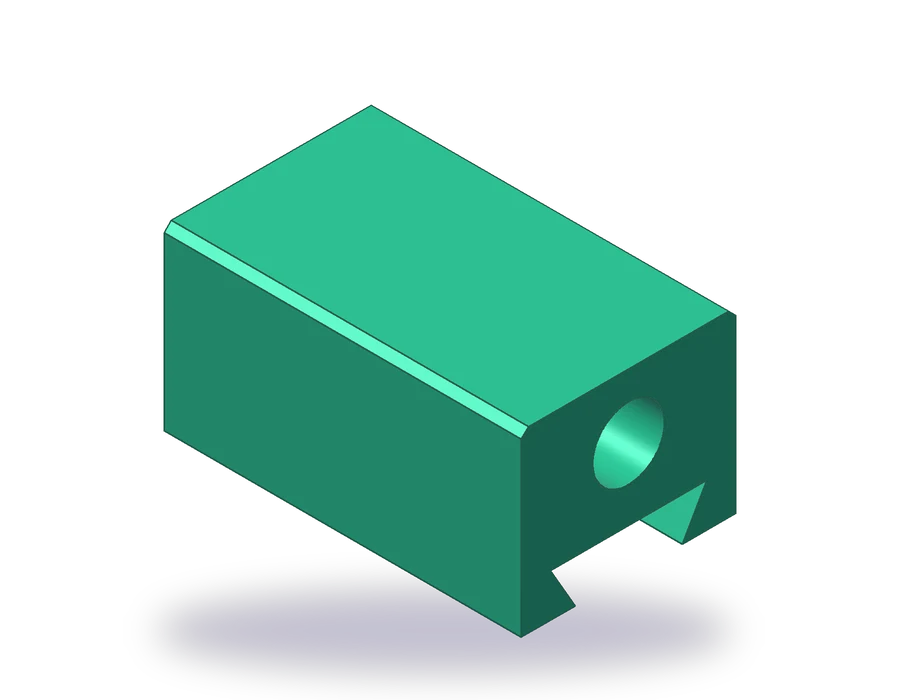
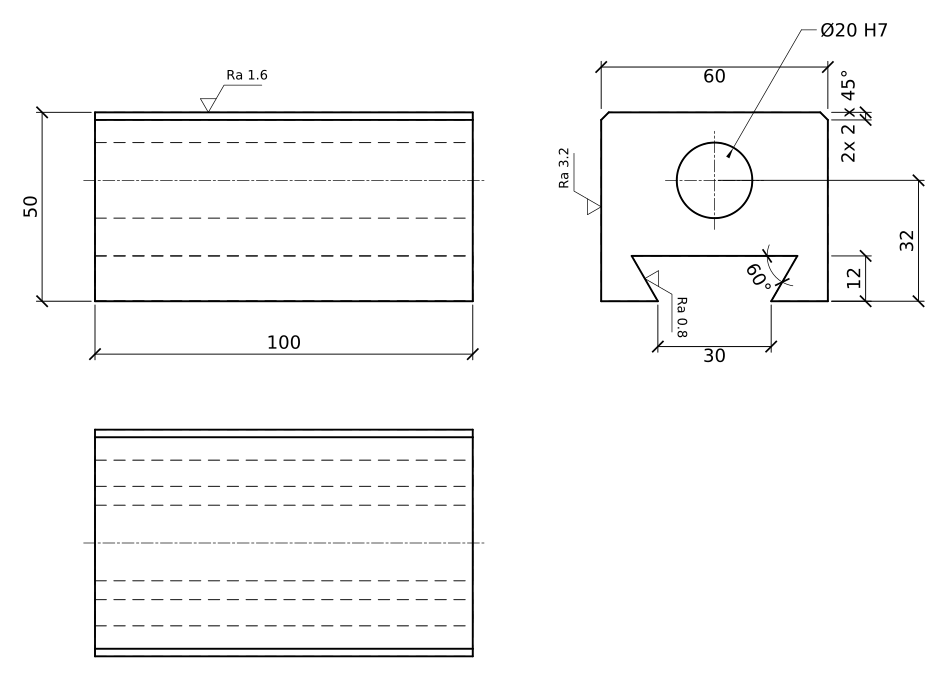
The part is a slide block, 100 x 60 x 50 mm, with a 60° dovetail along its base that runs on a matching guide, a Ø20 H7 bore along its length and two chamfered top edges. Its top face carries Ra 1.6, the flanks of the dovetail, which slide, carry Ra 0.8, and the side faces Ra 3.2.
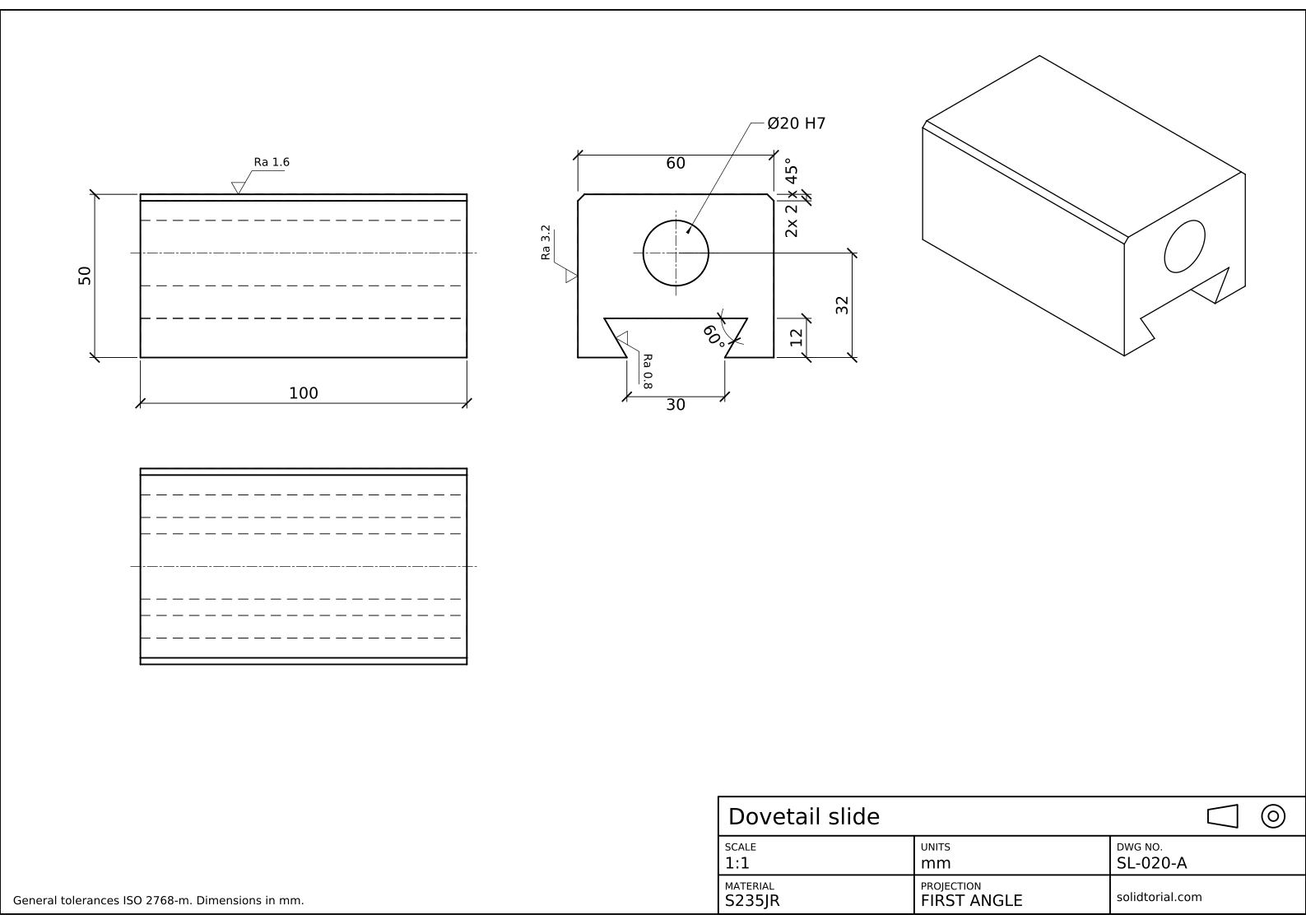
Metric sheet, ISO first-angle projection, scale 1:1 on A3. Click the drawing to open it full size.
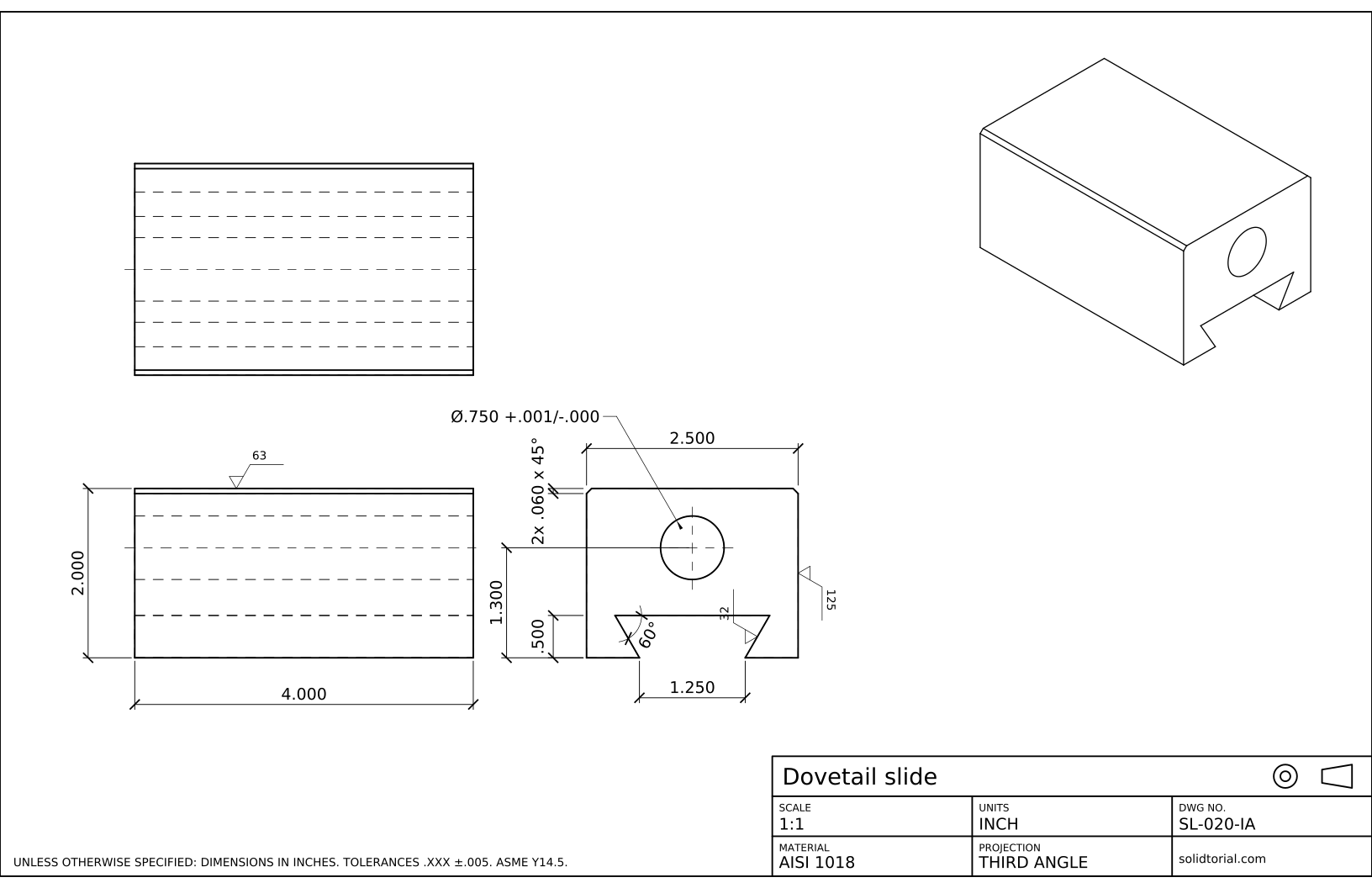
Inch sheet, third-angle projection (ASME), scale 1:1 on ANSI B. Click the drawing to open it full size.
AutoCAD commands for a surface roughness symbol
| Command | Alias | What it does here |
|---|---|---|
LINE | L | Draw the three views and the legs of the finish symbol. |
ATTDEF | · | Add an attribute called RA to the symbol so that each copy can carry its own value. |
BLOCK | B | Turn the symbol and its attribute into a block with its base point at the tip. |
INSERT | I | Place the symbol on each face, with a rotation, and type its Ra value. |
DIMDIAMETER | DDI | Dimension the bore and add the H7 fit after the measured value. |
How to add surface finish symbols in a drawing
-
Draw the three views of the slide
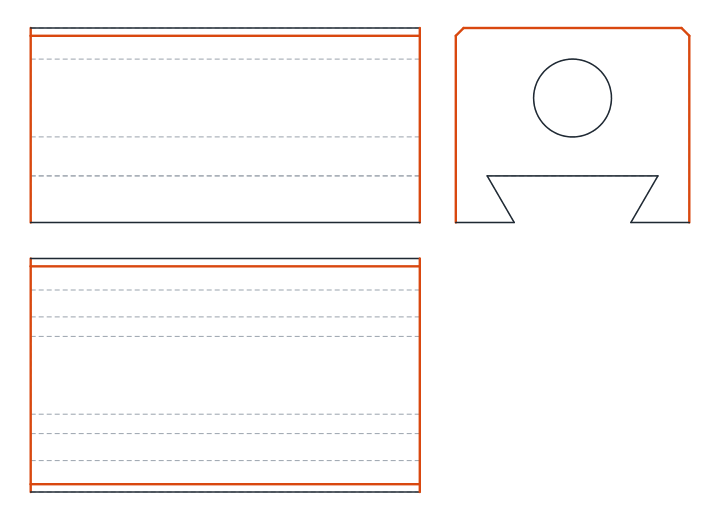
Draw the front view, 100 x 50, the top view below it and the side view, 60 x 50. The dovetail shows its true shape in the side view: it opens 30 mm wide at the bottom face, is 12 mm deep and its flanks lean outwards at 60° to the bottom, so the groove is wider inside than at its mouth. Draw one flank with polar coordinates and mirror it about the vertical center line.
In the side view the bore is a Ø20 circle with its center 32 mm above the base; in the other views it is a pair of hidden lines. Chamfer the two top edges 2 x 45°.
-
Draw the finish symbol once
Draw the symbol at full size, away from the views. From a point that will be its tip, draw a short leg 3.6 mm high leaning 30° to the left of vertical, and a long leg 7.2 mm high leaning 30° to the right, so that the two legs are 60° apart. Close the top of the short leg with a horizontal bar to the long leg: the bar means the surface must be machined. Finish with a horizontal line 10 mm long from the top of the long leg, where the value will sit.
-
Add the Ra attribute and make the block
Type
ATTDEF. Give it the tag RA, a prompt such as Roughness value and a default of Ra 1.6, set the text height to 2.5 and place it just above the horizontal line. Then typeB, name the block FINISH, pick the tip of the symbol as the base point and select the lines and the attribute.From now on the symbol is one object. When you insert it, AutoCAD asks for the value, so the same block serves every face of every drawing.
-
Place the symbols on the faces
Type
I, choose FINISH and place its tip on the top edge of the front view, on the outside of the material. Type Ra 1.6 when asked. Insert it again on a flank of the dovetail in the side view with Ra 0.8, rotating it so the tip touches the inclined line, and once more on the side face with Ra 3.2, rotated 90°.The symbol always points at the surface from outside the part, and it can also sit on an extension line of that surface. Its text should read from the bottom or from the right of the sheet, like dimension text.
-
Dimension the slide and the H7 bore
Dimension the block: 100, 60 and 50, the dovetail opening 30, its depth 12 and its 60° flank angle, the bore center at 32 from the base and the chamfers as 2x 2 x 45°. For the bore, type
DDI, pick the circle, typeTand enter<> H7. The brackets keep the measured Ø20 and H7 tells the machinist which limits apply: for a Ø20 bore, H7 means between 20.000 and 20.021 mm.
Surface roughness callout practice: a wider slide
Draw a wider slide on your own: 120 x 70 x 56 mm, a 60° dovetail opening 34 mm and 14 mm deep, a Ø25 H7 bore 36 mm above the base and 2 x 45° chamfers. Insert your FINISH block on the same three faces with the same values: Ra 1.6 on top, Ra 0.8 on the dovetail flanks and Ra 3.2 on the sides.
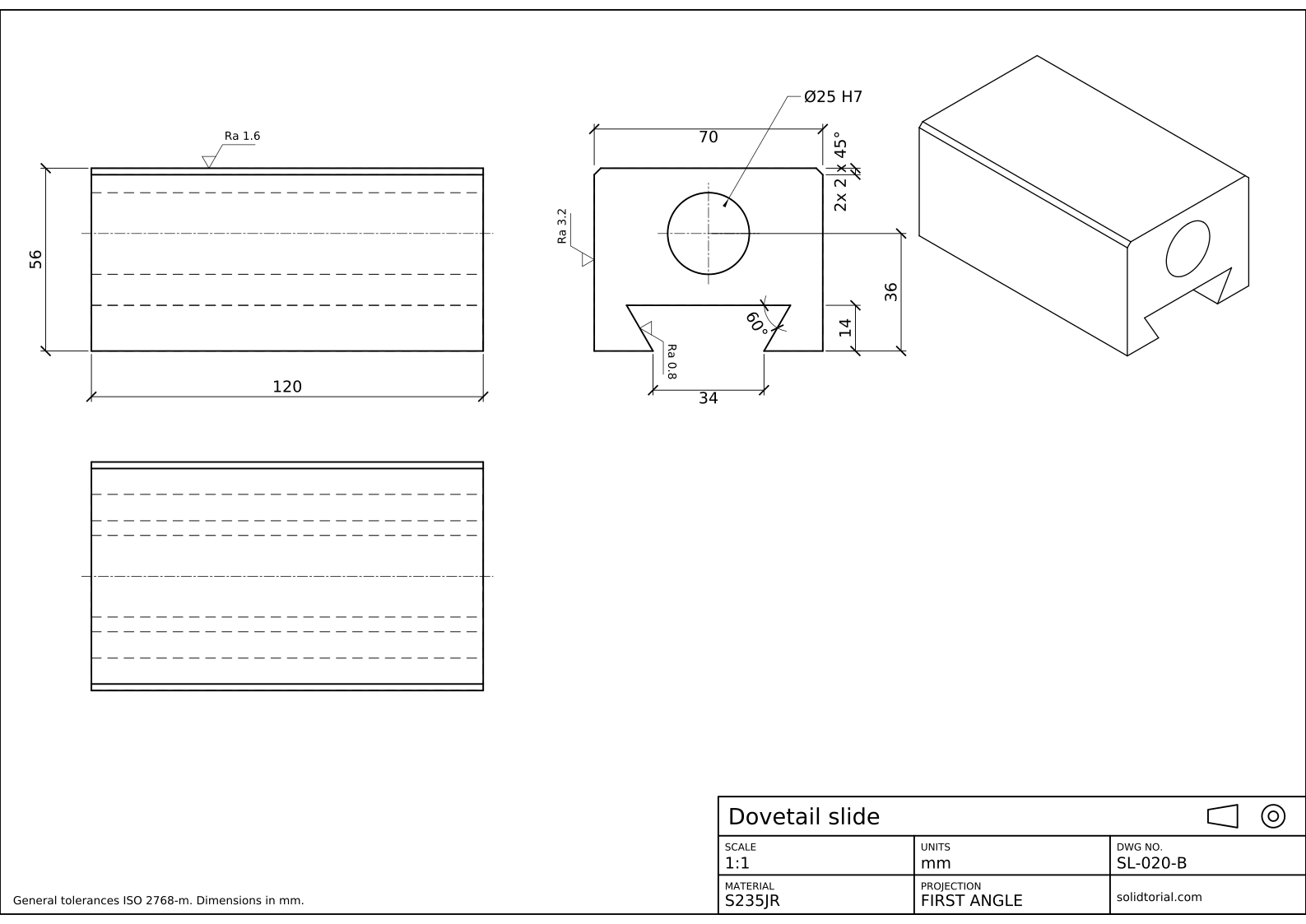
Metric sheet, ISO first-angle projection, scale 1:1 on A3. Click the drawing to open it full size.
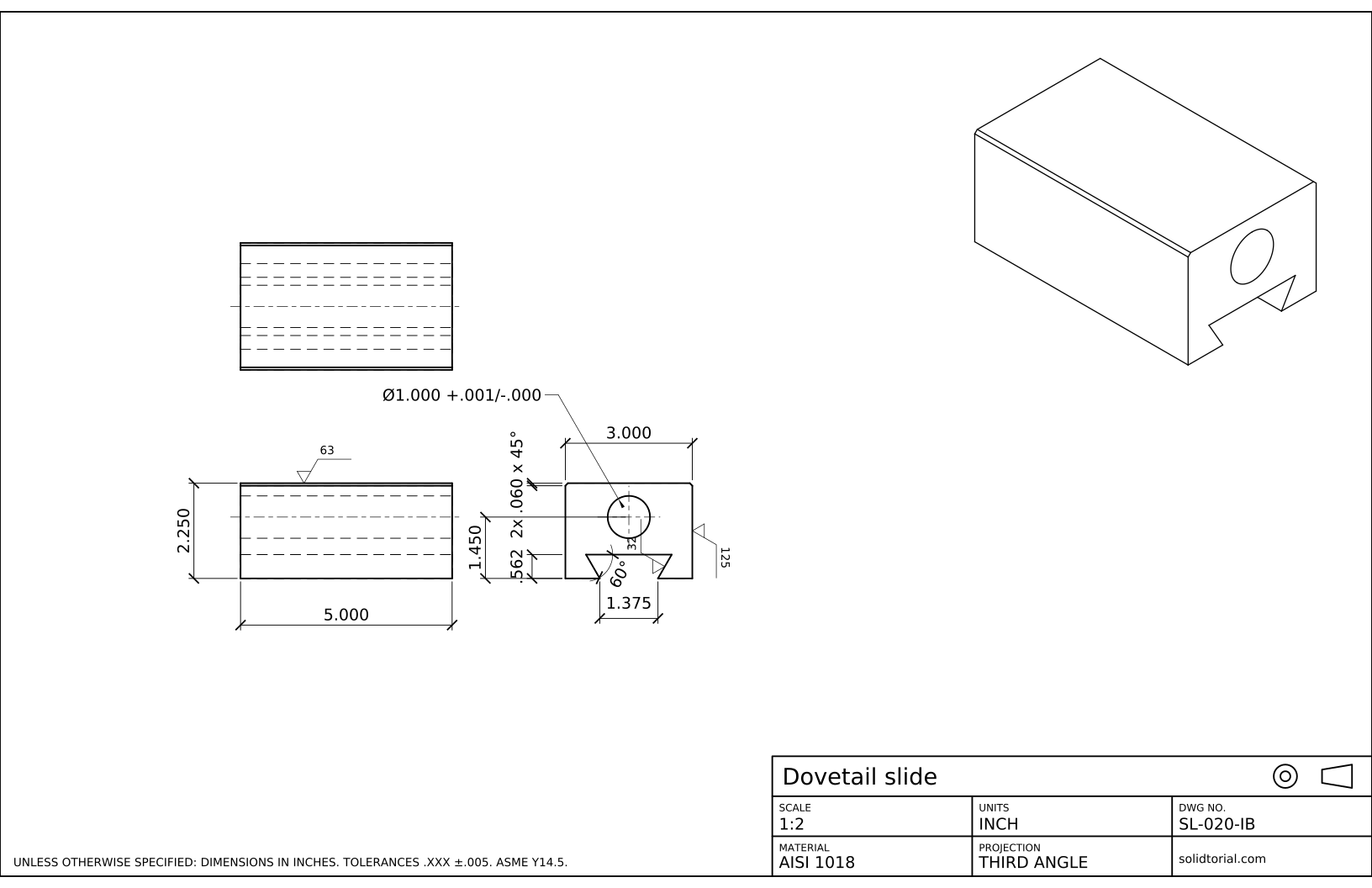
Inch sheet, third-angle projection (ASME), scale 1:2 on ANSI B. Click the drawing to open it full size.
Show the solution files
Metric sheet, ISO first-angle projection, scale 1:1 on A3. Click the drawing to open it full size.
Inch sheet, third-angle projection (ASME), scale 1:2 on ANSI B. Click the drawing to open it full size.
Common surface finish symbol mistakes
- The symbol inside the material. The tip touches the surface from outside. Placed inside, it points at a face that the part does not have.
- Forgetting the bar. Without it the symbol only states a roughness, whatever the process. With the bar, machining is required; with a small circle instead, removing material is not allowed.
- Exploding the block to change its value. Double-click the block instead: the attribute editor changes the Ra and the block stays whole.
- Mixing units. An ISO drawing gives Ra in micrometers. An ASME drawing in inches gives it in microinches, so 1.6 becomes 63, not 1.6.
- A finish on every face. Specify the faces that need it and cover the rest with a general note. A drawing full of symbols is harder to read and costs more to make.
Ra surface finish chart: micrometers and microinches
Ra is the arithmetic mean of the deviations of the surface profile from its mean line. ISO drawings give it in micrometers (µm) and US drawings in microinches (µin), and the usual values pair up as follows.
| Ra in µm | Ra in µin |
|---|---|
| 0.4 | 16 |
| 0.8 | 32 |
| 1.6 | 63 |
| 3.2 | 125 |
| 6.3 | 250 |
| 12.5 | 500 |
The inch version of this slide uses the right-hand column: 63 on the top face, 32 on the dovetail and 125 on the sides, with a .750 bore toleranced +.001/-.000 instead of H7.
Rz vs Ra, and other marks on the symbol
Ra averages the profile, so a single deep scratch barely changes it. Rz measures the height between the highest peaks and the deepest valleys and reacts to that scratch, which is why sealing faces often carry an Rz value. Besides the value, the symbol can state the process, the lay (the direction of the tool marks) and a machining allowance, each in its own place around the legs.
Many drawings still cite ISO 1302 for these symbols. That standard was replaced in 2021 by ISO 21920-1, which keeps the same basic symbol. In the United States the reference is ASME Y14.36.
Ra surface finish questions
What does Ra 1.6 mean on a drawing?
That the arithmetic mean roughness of that surface must not exceed 1.6 micrometers. On an inch drawing the same requirement is written as 63 microinches.
What is the difference between the three surface finish symbols?
The basic check mark only states a requirement. A bar across its top means material must be removed, by machining for example. A small circle inside the V means the surface must be left as it comes, without removing material.
Does AutoCAD have a surface finish symbol?
Not as a standard command in plain AutoCAD. The usual way is the one in this lesson: a block with an attribute for the value, saved in a template or a block library so it is always at hand.
What does H7 mean after a diameter?
It is an ISO 286 tolerance class for holes. H puts the lower limit at the nominal size, and 7 sets the width of the tolerance band, which for a Ø20 hole is 21 micrometers.
Updated: October 8, 2026